














Flat Out
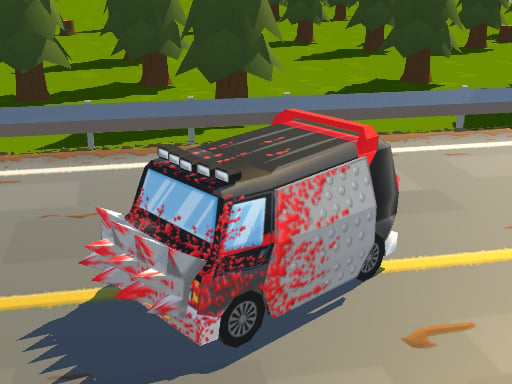
Flat Out is a browser-based racing game that lets you compete in intense racing sessions without any setup or software requirements. With a user-friendly interface and HTML5 technology, you can dive into the action straight away. The game is perfect for short or extended sessions, and you can access it at any time through your web browser.
Gameplay Focus
Flat Out's gameplay revolves around direct input methods like mouse, keyboard, or touch controls. The game presents its elements clearly and consistently, focusing on straightforward interaction. This approach ensures that the game functions the same way across different sessions and devices.
What Stands Out
One of the key features of Flat Out is its Racing Games genre, which makes it a thrilling experience for racing enthusiasts. Additionally, the game's ability to be played Free Browser Game Online, War, and Tung Tung Tung Sahur makes it a standout title in the browser game category.
Helpful Tips
For a seamless experience, use standard input methods to control your racing sessions. The game's straightforward design ensures that you can pick up where you left off without any issues.
FAQ
Q: What kind of controls can I use in Flat Out?
A: You can use standard input methods like mouse, keyboard, or touch controls to control your racing sessions in Flat Out.
Q: Is Flat Out a browser-based game?
A: Yes, Flat Out is a browser-based game that can be played directly in your web browser without any setup or registration.
Q: Can I play Flat Out for short sessions?
A: Yes, Flat Out is suitable for both short visits and longer sessions, and you can access it at any time through your web browser.
Q: What kind of game is Flat Out?
A: Flat Out is a racing game that focuses on direct interaction and straightforward gameplay, making it a great choice for racing enthusiasts.
About this game
- Supported devices
- Desktop
- Genre
- Racing Games
- Release date
- 25 October 2024
- Latest update
- 25 October 2024
- Rating
- No ratings yet